 |
| The only difference of this layout was to change the number from 2707 to 4001. Also about the chart as I tried to another and field calculate for the Acres but for some minor reason it didn't want to calculate the numbers into the attribute chart. |
Monday, November 14, 2011
GIS Lab 10 - 16c

GIS Lab 10 -16a
 |
 | |
| Chapter 16a is the tutorial of editing features and attributes, also it shows features like deleting and modifying the parcel areas within the edit session. |

GIS Lab 10 - 16b

 |
| 16b splitting and modifying features here it depicts that 2707 has split in to two areas of parcels. With the shape being the same 2707 polygon, the Shape area 2707 Big -94611.381 and 2707 Small -12637.322 . |

 |
| In this exercise, the task is to remove the duplex from the cul-de-sac. Due to the reason that an owner bought the other half and now wants to join both parcel areas into one structure. As the process goes by we end up with Shape area of 17354.414 of parcel area 2855. |
GIS Lab 10 - 15b
 |
| 15b Editing Parcels while using the feature construction tools to digitize features representing the lands parcels that consist in this exercise. |
 |
| This parcel is drawn from my specifications while following the tutorials of this exercise. Now you notice that I added and proposed 2 parcels to the subdivision for the City data geodatabase. |
GIS Lab 10 - 15a
 |
| 15a consists of creating and editing data such as digitizing water lines to connect undeground valves. In this subdivision thats under construction layers of water valves, fire hydrants, water lines and parcels are common usage for this exercise. Using the cursor valve lines from 813 to 763 to 831 and ending it up to the hydrant. |
Thursday, November 10, 2011
GIS Lab 10 - Tool Map
 | |||
| The point data set from chapter 9a, the Louisiana parishes while on the spatial statistics tool I decided to choose the Average Nearest Neighbor index from the Analyzing Patterns tool set. Its purpose is based on the average distance from each feature to its nearest neighboring feature. |
Monday, November 7, 2011
GIS Lab 9 - 12c
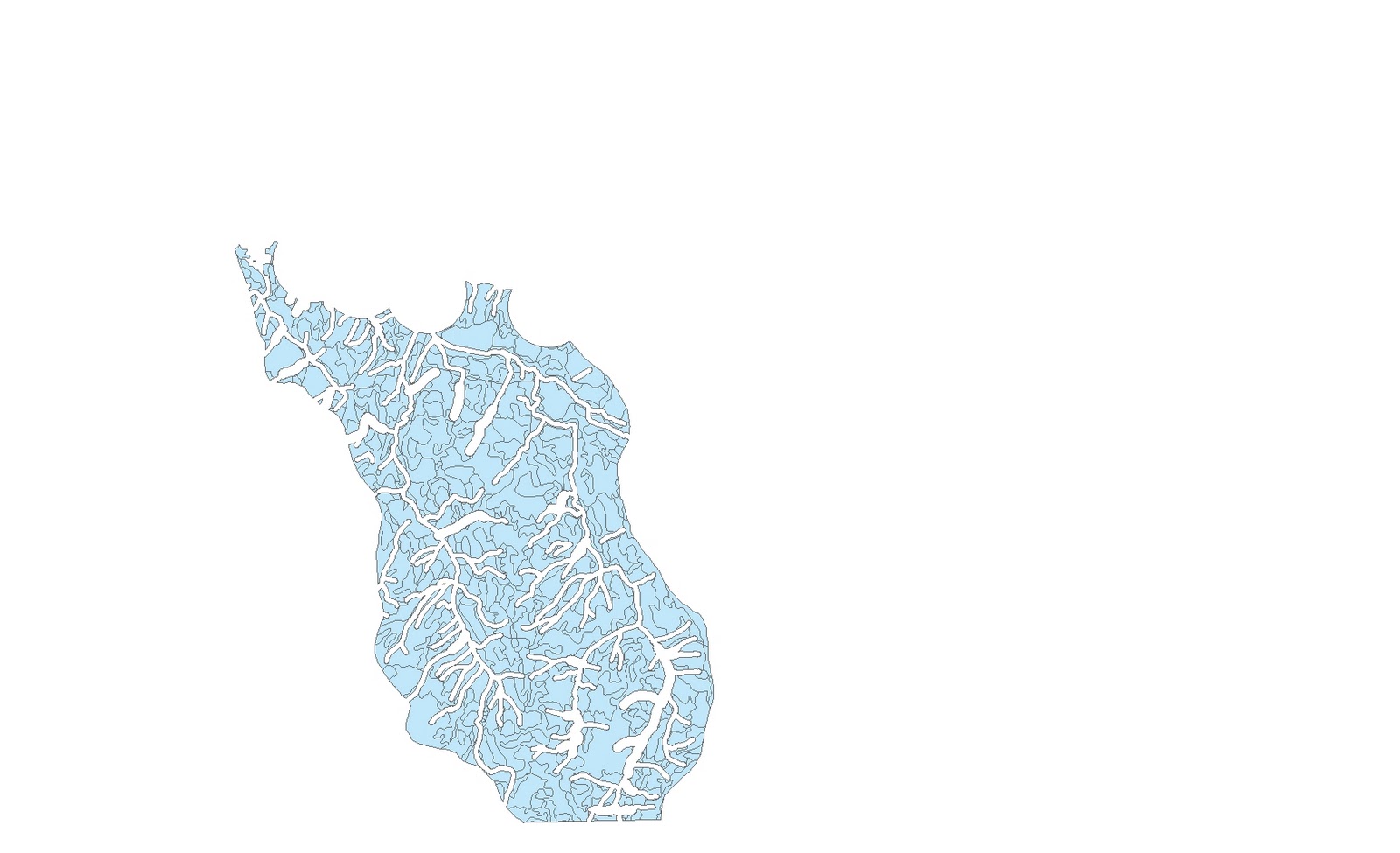 |
| Lastly, calculatiing attribute values for all records for Lease F for the bidding came out like 1,052.08379, so the harvest is just over a billion (statistics). |
GIS Lab 9 - 12b
 |
| Overlaying Data where the harvestable area of lease F is composed of all polygons in the Final layer that have a value of -1 in the no cut area set. |
Sunday, November 6, 2011
GIS Lab 9 - 12a
 |
| Using Buffering to determine the value of harvestable land in Lease F (above). The Buffer layers define the areas within which trees cannot be cut. |
GIS Lab 9 - 11d
 |
| Exporting Data, so nests are contained within polygons, so instead of clipping or dissolving, we will export the selected sets to make the Goshawk Nests layer to the point Data. |
GIS Lab 9 - 11c
 |
| Clipping layers in five lease areas that contains a segment of 1,556 streams. Clipped on the left side and right the segment streams ready to be clip. |
 | |||
| From 1,566 to 358 streams clipped upon this lease stand while using the StreamsF layer. |
GIS Lab 9 - 11b
 |
| Adding graphs to the layout page to represent the Values of the forest stand into the lease areas. |
GIS Lab 9 - 11a
 |
| The Lease areas of the five stands from the Forest Service, in dissolving mode/image. |
 |
| The Forest Service in present of five adjacent areas that are also lease areas. |
Sunday, October 30, 2011
GIS Lab 8 Map 9b
 |
| Joining and Relating tables part 2. This time in the state of Louisiana, we will go to the Lower Mississippi Buffer to see the section of Pits_75 but relating tables. Once after relating tables with the Pits and Metals to the Remedial Actions and IDNumbers. Witness, you can see the record points of 3 pits that contain lead. |
GIS Lab 8 Map 9a
 |
| Joining and Relating tables, a map of Louisiana showing parishes, navigable, waterways, and pits. But now with joining the tables of Remedial-Actions to thier IDNumbers it will show that Pits need to be repaired or removed that are moslty located in parishes of the southeastern tip of the state. |
GIS Lab 7 Map
 |
| The Data Mining project was kind of difficult at first especially looking for the right data that needs to be downloaded. Here depicts like 3 types of spatial datasets that is used. For instance, DEM Data, Hydrography Data, Census Data and a Wetlands Data. All of them used the projection of North America 1983 11N to be visible and match with the corresponding datasets that are put together. |
Sunday, October 16, 2011
GIS Lab 6 - 19d Map
 |
| Lastly adding the final thouches, once everything inserted and complete within the map, I add a picture of a Tiger from the Insert menu. |
GIS Lab 6 - 19c Map
 |
| The depiction of this map is to review the proposal and the map needs to familiar with the geography of India. So that's why I inserted legends, scale bars, and north arrows because they are necessary for interpreting a map for geographic orentation. |
Thursday, October 13, 2011
GIS Lab 6 - 19b Map
 |
| Here we see a title that portrays the meaning of what the project is about. Before moving on the data frame on the right depicts the use of vegetation and forest for residential and commercial use. The frame on the left depicts Proposed reserves where high priorities are in red and low priorities are in blue. |
GIS Lab 6 - 19a Map
 |
| First of all, this project consists of tiger conservation and existing reserves along vegetation corridors. I began to work with three Data Frames that were given to me but needed to be aligned. The bottom data frame is the Overview frame, the data frame on the left is the Existing reserves frame (Bio), and the one on the right will be the Proposed reserves frame (Tiger). |
Subscribe to:
Posts (Atom)